Police Smash Forex Scam Network Operating from Pahang
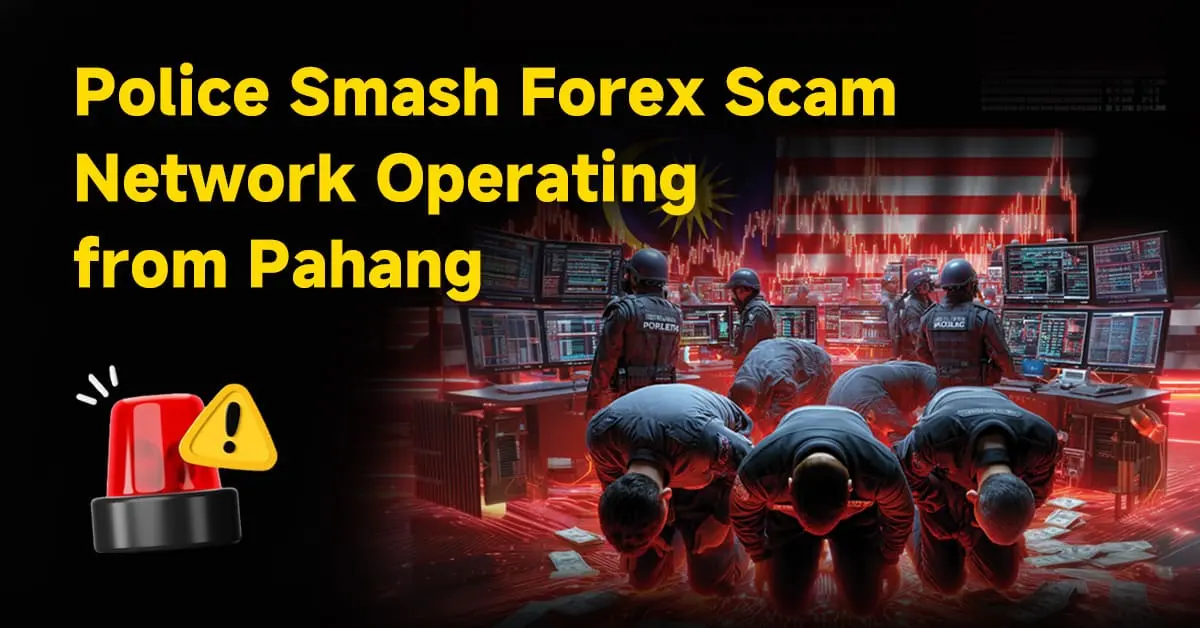
A police raid on an unassuming home in Pahang has exposed a covert app-based fraud operation targeting foreign investors.
Original

简体中文
繁體中文
English
Pусский
日本語
ภาษาไทย
Tiếng Việt
Bahasa Indonesia
Español
हिन्दी
Filippiiniläinen
Français
Deutsch
Português
Türkçe
한국어
العربية

Abstract:WikiTrade is hosting a demo trading competition for both new and experienced traders. This competition provides an opportunity to test your skills and try out new strategies before engaging in real-money trading.

Users can choose to log in either “Using Phone Number or Email” or “Continue with WikiFX.”
1.On the client's homepage, click “Open Account” to access the account opening interface. Click “Demo ” to complete the account registration and login process.


1.Click “Phone Number or Email” , fill in “Phone number”, click “Next”. Receive a verification code for your cell phone. Fill in the “Verification Code” to complete the login.


1.Registration must be completed before logging in.
Click “Register” to access the registration page. Check “By continuing,you agree to our User Agreement and confirm you have read our Privacy Policy.” Click “Use Email.”


Fill in the “password” and “Phone number”, click “Next” to complete the login.
Click “Continue via WikiFX” , Click “Authorize and Log In” to complete the login.


After logging in, automatically go to the homepage.
1.Click “Open Account” to access the account opening interface.
2.Click “Demo” carefully read the risk warning, check “I have read and agreed to the ‘IAP Service Agreement’ ” and click “Next.”


3.Enter the simulated trading account opening interface, and choose a trading platform for binding

Select the appropriate mode and click “Next”. Click “Go to Trade” to start the demo contest.


To participate in the activity, reset the simulated account first before reopening the account and selecting a trading platform.
1.On the app homepage, click the top-right corner “Switch Accounts.” and select “Demo Account.”


2.On the app homepage, click the top-left corner “Avatar” to enter the personal center. Click “Preference Settings.”


3.Click “Cancel the demo account” . Carefully read the reset account instructions, click “Reset Account,” and reset successfully. Then, you can reopen the account (refer to the steps for the initial account opening).


First-time Connection:
After entering the app, click “Open Account,” and choose to “Connect MT4 account”.

2. Select Server & Search for Server.

3. Enter MT4 Account & Enter MT4 Password.

4. Successfully connect and return to the homepage

Adding Additional MT4 Accounts:
On the homepage, click the account switch button, select the MT4 account page, and click “Add New Account.”

2. Select Server & Search for Server.
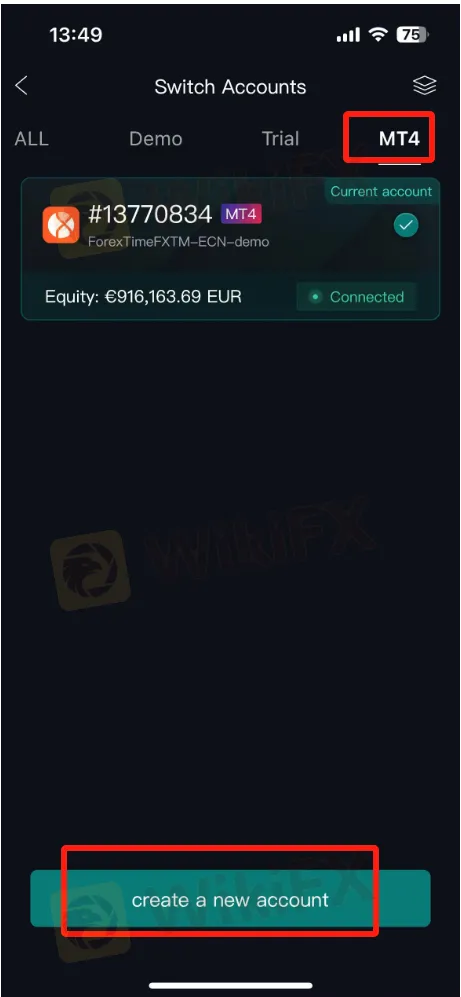
3. Enter MT4 Account & Enter MT4 Password.

4. Successfully connect and return to the homepage


Disclaimer:
The views in this article only represent the author's personal views, and do not constitute investment advice on this platform. This platform does not guarantee the accuracy, completeness and timeliness of the information in the article, and will not be liable for any loss caused by the use of or reliance on the information in the article.
A police raid on an unassuming home in Pahang has exposed a covert app-based fraud operation targeting foreign investors.

The Cyprus Securities and Exchange Commission (CySEC) has announced enforcement actions against several former Executive and Non-Executive Directors of Exelcius Prime Ltd, the Cyprus Investment Firm (CIF) that previously operated the 1Market online trading brand through the websites 1market.eu and 1market.com.

Against the iconic backdrop of Ain Dubai, GTCFX hosted its Annual Golden Falcon Awards 2025. This year's ceremony showcased the evolution of the GTCFX brand and the achievements made throughout the past year. Compared to last year’s event, the 2025 ceremony expanded significantly in scale, attracted a larger global audience, and demonstrated how GTCFX continues to broaden its presence across international markets.

Is GMO-Z.com a legit forex broker or a potential scam? Is it easy to log in to GMO-Z.com? This article reviews GMO-Z.com’s regulations, trading conditions, complaints, and safety in 2025.
 WikiFX WikiFX WikiFX WikiFX WikiFX WikiFX WikiFX WikiFX WikiFX WikiFX
